For therapists and mental-health clinics

You hold the session.Sanad handles the bookings.

A white armchair in a calm, naturally lit room, with “Calmer work. Lighter days.” written on the wall.
Calmer work.
Lighter days.
An AI operations assistant for your clinic.

Keep your clinic exactly as it is. Connect WhatsApp and Google in minutes, on your own — no appointment, no call.

GoogleWhatsAppWorking hoursTherapist nameReady

Sanad, an AI assistant built for therapists and mental-health clinics, looks after your clients on WhatsApp. It answers them, books them into the shoghlak calendar, syncs each booking with Google Calendar, and reminds them before the session. Open the shoghlak app and your day is already laid out.

Sanad, your AI assistant.

Sanad is an automated receptionist that speaks Egyptian Arabic and replies at any hour.

Sanad, your AI assistant.

Sanad is an automated receptionist that speaks Egyptian Arabic and replies at any hour. It tells clients, from the very first message, that it's automated. Its job is appointments and inquiries — nothing else.

It books.

When a client messages, Sanad asks which location and which day they want, then adds the appointment to the shoghlak calendar and syncs it with Google Calendar. It never shows anyone your whole schedule: it asks when the client would like to come, then suggests the time closest to your existing appointments. Once the client confirms, Sanad sends a booking confirmation along with the clinic policy you've set.

It handles reschedules and cancellations.

A request to reschedule comes to you first, for your approval. A cancellation is confirmed and the time is freed up. Either way, Sanad tells the client it has let you know, never that it made the change itself.

It sends reminders and follows up.

It spots clients who used to come regularly but have stopped booking, and shows you who they are. You decide who gets a message.

It answers the questions that keep coming up.

Your address, your fees, how long a session lasts, your working hours — all drawn from your own details, in wording you review.

It remembers the client.

Each client's record is linked to their number, so when they come back to book they aren't asked for their name all over again. “Hello Mona — the Maadi clinic again?”

It knows its limits.

If a message is about medication or a diagnosis, Sanad says that's a medical matter and passes it to the therapist. If something in a message is worrying, it sends a single reply and alerts the therapist straight away.

For solo therapists and clinics

The client books.Sanad creates the link and sends it.

Choose Zoom or Google Meet once.

The client books.Sanad creates the link and sends it.

Choose Zoom or Google Meet once. When a client books an online session, Sanad confirms the appointment, creates the meeting link automatically and attaches it to the booking. You never have to open Zoom or Google Meet, or copy a link.

ZoomGoogle Meet
1 · The client booksChooses an online session with Sanad
2 · Sanad creates the linkZoom or Google Meet, automatically
3 · It appears in the appThe appointment and its details, ready
  • The link reaches the client five minutes before the session — you don't have to create it or send it yourself.
  • A real integration — not a field you paste a link into every time.
  • A new link for every session, or one fixed link. Your choice. The fixed link comes with a waiting room.
ZoomGoogle Meet
Set up automatically by Sanad

Wed 7:00 p.m.

Booking confirmed. The link was created under the therapist's name and attached to the appointment.

Visible in the shoghlak app.

The booking and appointment details show up in the app as soon as the link is created.

shoghlak app · appointment visible

Every step is tracked, from booking to attendance.

What makes the difference is less the booking itself than how reliably everything around the appointment runs:

Every step is tracked, from booking to attendance.

What makes the difference is less the booking itself than how reliably everything around the appointment runs: reminders, follow-up, the waitlist, attendance.

The client who couldn't find a slot

When a client asks for a day that's fully booked, Sanad offers to add them to the waitlist and records the request with its date. When an appointment is canceled, Sanad tells you who was waiting, asks your permission, and offers the slot to one person at a time. You get a single update at the end, not an alert for each person.

The client who drifted away

Sanad works out who used to come regularly and has stopped: three or more sessions in the last two months, followed by three weeks with no appointment. It shows you who they are, and you decide who gets a message and who doesn't. Both thresholds can be changed in Settings, and Sanad never messages anyone on its own.

Sanad remembers the client

Each client has a record linked to their phone number, so a returning client is greeted by name and offered their usual location rather than treated like a first-timer: “Hello Mona — the Maadi clinic again?”

Mark attendance with a single tap on each appointment, and the record stays complete without you chasing it.

Sanad books new appointments next to the sessions you already have, so your day stays compact, without scattered gaps.

Live demo

Message Sanad now.
It's live, not a mock-up.

Message it as if you were a client. Pick a location, then the day and time that suit you. Sanad won't show you the clinic's schedule. Nothing from your test is kept.

  • No account needed.
  • Please don't use real details.
  • Watch a message become a booking, then a calendar entry, then a notification.

Sanad speaks Egyptian Arabic with clients, so it will reply to you in Arabic.

WhatsApp, the phone or the front desk: every booking lands in the same calendar.

WhatsApp bookings come in through Sanad and phone bookings through your front desk; anything you've arranged
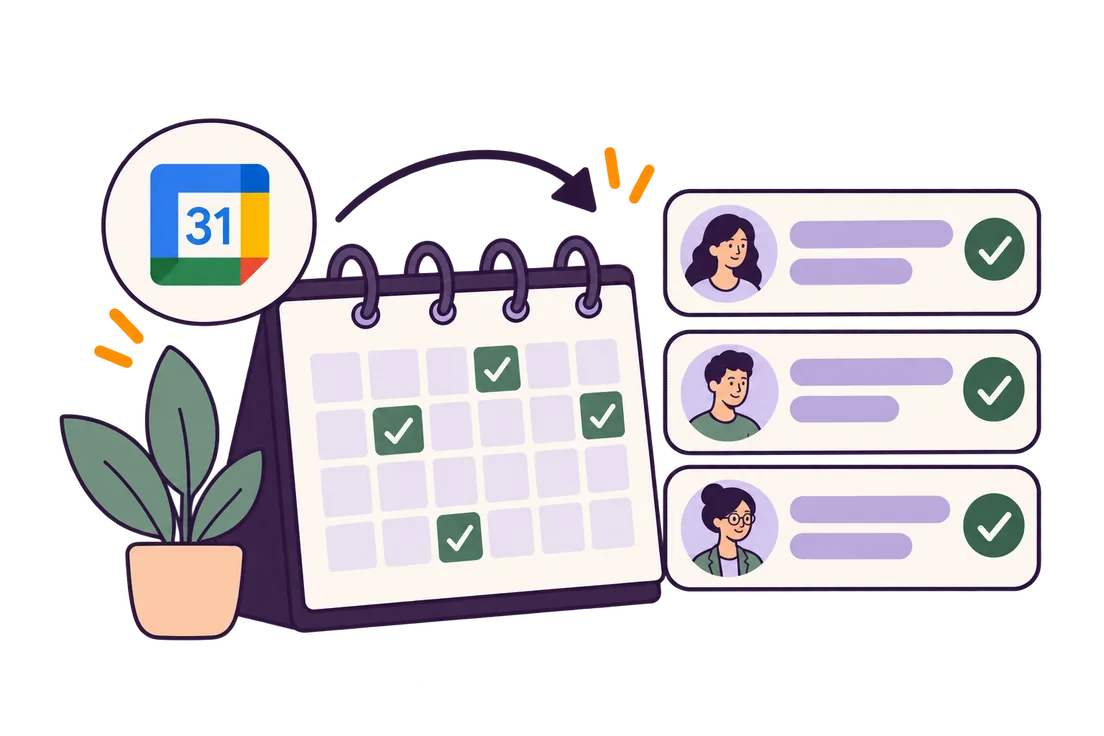
WhatsApp, the phone or the front desk: every booking lands in the same calendar.

WhatsApp bookings come in through Sanad and phone bookings through your front desk; anything you've arranged yourself, you add. All of it lands in the shoghlak calendar in the app and syncs with Google Calendar, so you, your front desk and Sanad see the same day.

From WhatsApp

Sanad books on its own. It takes the name, location, day and time, saves the booking in shoghlak, syncs it with Google Calendar and automatically passes it to the front desk at the clinic the client chose.

From the therapist

Arranged a session with a client yourself? Add it in the shoghlak app; it takes seconds. Sanad and Google Calendar know at once that the time is taken, and it's never offered to another client.

By phone or at reception

For clients who don't book on WhatsApp, your front desk adds the booking in the shoghlak app with the client's name and number. The therapist and Sanad both see it, and its source is always clear.

shoghlak calendarSynced with Google Calendar · everyone sees the latest update Google Calendar

Sun 20

4:00 SaraAdded by the front desk

Mon 21

6:00 MonaBooked by Sanad
8:00 OmarFrom the app

Wed 23

7:00 Sara · onlineGoogle Meet

Thu 24

5:00 NadaAdded by the front desk
7:00 AhmedBooked by Sanad

Sanad and your front desk work from the same calendar. Phone bookings come from the front desk, WhatsApp bookings from Sanad, and the therapist can add appointments too. Nobody ends up keeping a separate schedule.

A key feature for therapists

Sanad keeps your appointments close together.

Say you have one session booked in the middle of the day and the rest is free.

Sanad keeps your appointments close together.

Say you have one session booked in the middle of the day and the rest is free. Sanad offers the slot right before it and the one right after, not the whole day.

If neither suits the client, Sanad offers other times as the conversation goes on, guided by what the client asks for and by your working hours. It still never shows the whole day, so the client doesn't come away thinking your schedule is wide open.

Each new booking shifts the nearest options, so your appointments start to cluster instead of spreading out across the day. The client still makes the final choice of time.

Example: you have a regular session at 5
4:00Available
5:00Booked
7:00Available later
8:00Available later

Each time, the client gets two options, offered the way a receptionist would. The order of those suggestions is what keeps your day compact, while the client stays free to choose.

Working at more than one clinic? Your appointments won't get mixed up.

Clients choose the clinic as they book.

Working at more than one clinic? Your appointments won't get mixed up.

Clients choose the clinic as they book. Each booking goes to that clinic's front desk and, at the same moment, appears in the Google Calendar you share with them.

You don't have to remember to tell each clinic, or move appointments over by hand. The client picks the location; Sanad takes care of the rest.

Client chose MaadiBooking confirmedMaadi front desk notified Google Calendar updated
For solo therapists or clinic teams

Focus on your sessions. shoghlak handles the coordination.

If you work on your own, shoghlak organizes the bookings, reminders and messages around your day. If you run a clinic, it gives your front desk and your therapists the same view of operations, with no appointments copied from one place to another.

Everything about an appointment is kept together: the booking, any change, the reminder, the message to the clinic, and the link if the session is online. Instead of piecing it together from WhatsApp, Google Calendar and phone calls, you open the shoghlak app and see where the appointment stands and what has happened to it.

Your whole working day in front of you, before it begins.

Your appointments, what's new, and what's waiting on your reply, all in one place.
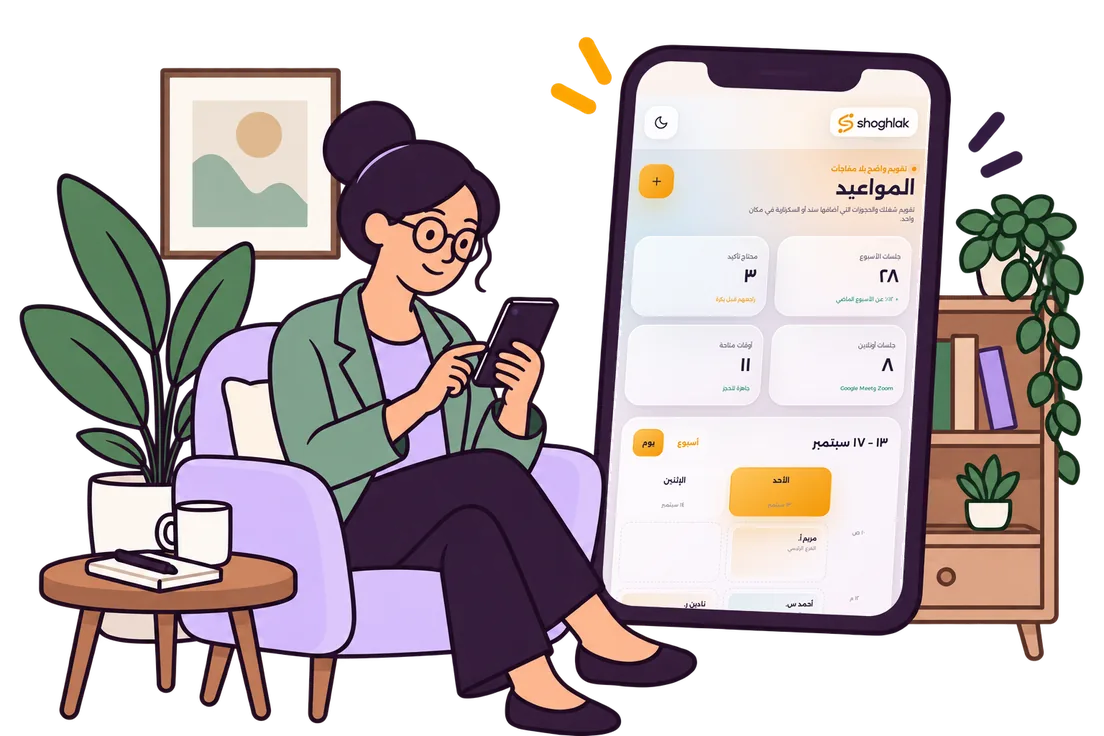
Your whole working day in front of you, before it begins.

Your appointments, what's new, and what's waiting on your reply, all in one place. From there you can see the day's changes, approve requests (a client asking to move a same-day appointment, for instance), mark attendance and no-shows, and read Sanad's conversations with clients when you need to know what happened.

T

Therapist: their day, appointments and Sanad conversations, plus shoghlak AI Assistant.

F

Front desk: a working calendar for the therapists — add, edit and keep track of the day's changes.

O

Account owner: sees how the whole clinic is running.

One main account for the clinic; under it, each therapist has their own login, permissions and calendar. Each therapist can sign in from up to 3 devices, and the limit is per therapist even under the clinic's main account.

Therapist view
Google Calendar connected

Good morning, Dr. Sara

Sunday 13 September · your day
5sessions today
2online
1follow-up
4:00 Mona Hassan · MaadiAttended
6:00 Omar Ali · onlineLink ready
8:00 Nada Samy · HeliopolisNo-show
shoghlak AI AssistantOvernight, a new booking came in and one appointment was canceled. Today's schedule is up to date.

What your messages look like.

Sanad's messages follow clear, set templates, so choosing one is quick. Each template leaves room for your own details and wording. You can edit the open parts; the rest stays as it is, each part for a specific reason. These templates are the reminders and confirmations that Meta approves once, when you first set up.

Replies in your own words.

Every message comes with four ready versions, so you can pick one quickly instead of starting from a blank page. Edit the wording and add fields such as [fee] and [hours].

Session timing policy.

Set the grace period and the overrun rule once, and Sanad explains the clinic's policy to the client from the start.

Up to 3 devices per therapist.

Each therapist can sign in from up to 3 devices, and the limit is per therapist even under a clinic's main account. You can see the registered devices and sign out any you don't recognize.

Sanad's conversations, open to you.

Open a client's conversation to see what lies behind a booking or a change, along with the admin messages exchanged with Sanad, rather than relying only on Sanad's notification or summary.

The whole clinic in one view.

The account owner sees how the whole clinic is running: every therapist, every location, every appointment of the day.

Just for the therapist

shoghlak AI AssistantWorks with you, not with your clients.

Sanad talks to the client.

shoghlak AI AssistantWorks with you, not with your clients.

Sanad talks to the client. shoghlak AI Assistant inside the app talks to you. It's also where to go with questions about shoghlak itself: if something in your setup isn't clear, start there.

shoghlak AI AssistantInside the shoghlak app · answers setup questions
TherapistWho do I have tomorrow?
AssistantYou have 5 appointments tomorrow. First Sara at 4, then Mona at 6. Omar hasn't confirmed yet.
TherapistChange the welcome message
AssistantSuggestion: “Welcome to Dr. Amal's clinic 👋” — shall I save it?
TherapistTell Sanad not to book next Thursday
AssistantDone — Sanad won't take bookings for next Thursday. Anyone who asks for it will be offered Wednesday or Saturday.
AssistantOne request needs your decision: Omar wants to move his appointment from next Thursday to Saturday. Shall I approve it?
TherapistApprove it
AssistantDone, it's moved. Sanad will let Omar know it's confirmed.
An illustration, not a live demo.

A clear monthly price.Based on how you work, not on how many messages you send.

Create your account first. When you decide to subscribe, choose your plan.

Plan 1 · Therapist

EGP 799 a month

Plan 1 · Therapist

EGP 799 a month

No setup fee · One therapist, one calendar

  • ✓A WhatsApp Business number in your name, or a ready-to-use one if you need it
  • ✓Sanad: booking, rescheduling, reminders and follow-up
  • ✓shoghlak app + shoghlak AI Assistant
  • ✓The clinic where you work is notified automatically
  • ✓Zoom and Google Meet
  • ✓Google Calendar and the shoghlak calendar

Plan 2 · Clinic

EGP 2,500 a month

Plan 2 · Clinic

EGP 2,500 a month

EGP 1,500 one-time setup fee

Everything above, plus:

  • ✓Up to 4 therapists in one account
  • ✓Each therapist with their own appointments and calendar
  • ✓A working calendar for the front desk
  • ✓Permissions for account owner, therapist and front desk

Plan 3 · Center

By arrangement

Plan 3 · Center

By arrangement

For more than 4 therapists or more than one branch

Everything above, plus:

  • ✓More therapists
  • ✓More than one branch
  • ✓Integration with the systems you already use, on request
  • ✓Reports built around how you operate

Pricing

Create your account first. When you decide to subscribe, choose your plan.

The Clinic plan's setup fee covers real setup work: your Meta business account prepared and connected, your WhatsApp Business number linked, the message templates set up, and each therapist's Google Calendar connected and their calendar ready in shoghlak. The Therapist plan is one therapist with one calendar, so there's no setup fee.

The subscription is monthly. You can stop it whenever you like.

No WhatsApp Business number? A ready-to-use number costs EGP 149 a month, on top of the plan price.

Worth asking before you start.

The questions people ask before subscribing

Is the number mine or yours?

Yours. If the clinic already has a WhatsApp Business number, we connect it; if not, we provide one that's ready to use. Your account and your data stay tied to you.

Is there a setup fee?

Not for solo therapists. Clinics pay a one-time setup fee that covers setting up Meta, the number, the message templates, and Google Calendar for each therapist.

Do you store diagnoses or session notes?

No. shoghlak is for the admin around the appointment, not for the clinical record.

How long does setup take?

Setup is usually finished within hours. We prepare the connection steps and message templates in advance, so there's as little as possible for you to do. The final timing depends on Meta's approval.

All questions →

Everything at a glance.Open whichever part you need.

Group 1 · Sanad and your clients

Booking, rescheduling and canceling Follow-up on clients who drift away Answers on fees, address and session length Recognizes returning clients by number Egyptian Arabic 24/7 Says it's an automated assistant One reply to a worrying message, and an alert to you No medical opinions Bookings made for someone else Appropriate wording for each client Waitlist A neutral reply to abuse A reply to wrong numbers

Group 2 · Booking and calendar

Clients pick the clinic, then the day The two closest times around your appointments, never the whole day Further options if neither suits Saved in shoghlak, synced with Google Calendar One work calendar for Sanad, the front desk and the therapist The source of every booking shown Several clinics and several shifts a day Same-day changes need your approval Adjustable grace period and appointment policy Different fees for different ways of working

Group 3 · Clinic and front desk

One account for the clinic Up to 4 therapists Each therapist has their own appointments and calendar The front desk sees the day's operations and can add and edit The account owner sees the whole clinic or chooses “My cases only” Separate permissions for therapist, front desk and account owner Each therapist connects their own work Google Calendar Templates and clinic messages in the same account The source of every booking stays clear

Group 4 · Online sessions

Google Meet Zoom One fixed link or a new one per session Sanad creates the session link automatically with the booking A waiting room for the fixed link

Group 5 · The shoghlak app

Today's dashboard Working calendar Attendance and no-shows Sanad's conversations in the app Messages filled in with your details Your own wording, with fields Devices and when each was last used Sign out a device Follow-up settings Permissions Your different clinic locations shoghlak AI Assistant

Group 6 · Getting started and ownership

Sign in with email and a 6-digit code Up to 3 devices per therapist An alert when a new device signs in Quick initial setup Google Calendar connected without sharing your password A WhatsApp Business number in your name, or a ready one if you don't have one Encrypted data Reminders carry only the first name and the time Cancel any time Unlimited WhatsApp messages

Let your receptionist spend their time where it counts most.

Have a receptionist?

Sanad takes on the routine part of their day: the repetitive questions that need answering faster and more often than any one person can manage.

The same question, ten times a day.

Sanad answers “What's available?” every time, in a second.

A complete booking, in one conversation.

From the first question to the confirmation, without the back-and-forth.

No forgotten reminders.

Every client gets their reminder on time.

To your receptionist: the clinic runs on you.

Sanad takes the repetitive messages, which leaves you free for the people at the desk and the moments that need a human being.

Leave the booking to Sanad.Focus on your sessions.

Calmer work.
Lighter days.

← Back to home

Therapy works through continuity.

More often than not, what breaks it is admin that falls through the cracks, not a decision to stop.

Dropping out makes no sound

People who decide to stop say so. People who drift away don't. They put it off for a week, then two, then that's it. Nobody notices, because it's nobody's job to — and yet that person, more than anyone, needs someone paying attention.

Where the ceiling really is

A skilled therapist still has a ceiling: how many people they can hold at once. What lowers it is the admin side of the job. Nobody became a therapist to answer “What's available?”

The frame is part of the therapy

When a client can message their therapist at any hour, the therapeutic relationship changes. Boundaries are part of the treatment itself; keeping them is no luxury, and nothing to apologize for. When a therapist is also their own receptionist, the frame wears away from the inside. Give the admin its proper place, and the relationship can find its own again.

Noticing, not speed, makes the difference

Quick replies make a good clinic. Noticing makes it a different kind of clinic.

Noticing is less about attention than memory. No one can keep forty clients in mind — who has drifted, who has stopped, and since when. That says nothing about how much anyone cares. It's the limit of what one person can hold.

A receptionist works day by day. They see who's coming in today, and a client who hasn't been in for three weeks never crosses their desk.

An absence is a signal. A single one, though, is ordinary. Two in a row are something else, and the difference only becomes visible when there's a record.

Noticing also stops short of intervening. The system never contacts anyone on its own. It tells the therapist, and the therapist decides.

A clinic that asks after a client who missed a session changes the therapy itself; calling it better service would undersell it.

More than a booking bot

Booking is the easy part. What we're building is the stretch between sessions: reminders that hold the thread of the work, a record that makes absences visible, observations that reach the therapist in time. A session is a point; therapy is a line. The line is what we work on.

Not practice-management software

No case files, no diagnoses, no session notes, no treatment plans. That's the therapist's work, and it doesn't need a third party in the middle of it. We take on the admin, and only the admin. The rest isn't ours.

← Back to home

Rather than build a clinic system, we built one thing and saw it through.

Every system that tried to do everything ended up doing half of everything. We took the part that repeats every single day and built it properly.

One view of the dayThe therapist and the front desk see the same schedule, so neither has to ask the other, “What's happening today?”

We started from a question, not an idea

Which daily task repeats the most, for no good reason?

The answer depended on who was asked.

Therapists who work alone said it was answering the same messages: “When are you free?” “Can I move my appointment?” “Where's the clinic?” Not diagnoses, files or reports — the same reply, again and again.

Clinics with a front desk said something else.

Someone does reply, but only during working hours. A message sent at night waits until morning; one sent on a Friday waits until Saturday.

When the receptionist is on leave, the replies stop.

Even when they're in, their focus is the day itself. They're looking at today's arrivals, not at who hasn't been in for three weeks.

We built one thing that takes the repetition away and keeps watching after the day is over.

Why one specialty

It would have been easier to sell to every specialty. We chose one.

An absence is more than an empty chair: it's a break in treatment.

Someone has to notice it, and keeping track is more than one person can manage. The section below explains how shoghlak does it.

Here, privacy goes deeper than a checkbox in Settings.

A message carries the first name and the time, nothing else — no location name, not even the word “session” — because other people can see a client's phone.

For some people, the phone call itself is the hard part.

The whole booking happens in writing on WhatsApp, so no one has to speak.

All three are decisions made in the code itself, rather than lines on a web page. That's why a general-purpose system won't do: it doesn't know that an absence means something, or that a location name in a message can be a problem.

The rules Sanad follows

  1. 1. Information about a client is confirmed to that client only.

    At the start of every booking, Sanad asks: is this for you or for someone else?

    If it's for someone else, Sanad takes the request and passes it to the therapist. It confirms no appointment and no name — not even that the person is a client of the clinic. The therapist decides whether that's clinically appropriate.

  2. 2. No marketing messages of any kind.

    No offers, no discounts, no “We miss you.” A client who stops coming doesn't receive an ad: their name goes to the therapist, and the therapist decides.

  3. 3. A message carries the first name and the time, nothing more.

    That means no location name, no reason, and no mention of a “session” — a phone screen isn't private.

  4. 4. If it isn't Sanad's job, Sanad doesn't answer it.

    It's an appointments assistant. It doesn't assess anyone and doesn't give advice. Anything else goes to the therapist exactly as it came in.

How the system notices someone drifting away

This is the part a booking system never reaches.

The system only looks at regular clients — those with three or more sessions in the last two months. That's the difference between someone who's late coming back and someone who came once and moved on.

It counts the weeks since the last session. Anyone past your threshold with nothing booked is flagged to you.

You set the threshold.

Inside the app, you tell shoghlak AI Assistant in plain words: “Let me know about anyone who's been away for two weeks.” Or three. Or whatever suits your practice.

You can change it the same way, any time — with a sentence rather than a settings page.

The final decision is yours. The system shows you the names and asks first; it never sends anything on its own.

What we chose not to build

Files, diagnoses and session notesThat's the therapist's work, and it doesn't need a third party in the middle of it
An app for clients to downloadClients already have WhatsApp. The app is for the therapist; clients don't have to learn anything new
A bot that gives adviceIt isn't qualified, and there's no reason for it to try
Sanad showing clients your whole scheduleAn empty calendar says something about you that doesn't need saying
Video calls inside the appZoom and Meet already exist; nobody needs a third

Who's behind it

A team whose whole job is building systems, automation and software.

← Back to home

Sanad talks to your clients so you don't have to.

This page sets out exactly what it says, and what it doesn't.

The first message a client receives

Hello 👋 I'm Sanad, the automated assistant for Dr. [Name]'s clinic. I can help with any inquiry, booking or change to an appointment. Talk to me just as you would to the receptionist.

Translated from Egyptian Arabic.

This is the message as it's actually sent. You can pick Sanad's introduction from four versions in the app.

Three things about that message

  • Sanad says it's an automated assistant from the very first message. It never pretends to be human.
  • It doesn't assess anyone or give advice. Any other message goes to the therapist as it came in.
  • It doesn't send a client anything on its own initiative; it asks your permission first.

How it books

First it asks: is this booking for you or for someone else?

Then the location, then the day.

It doesn't volunteer days or times. When the client names a day, Sanad suggests the times next to your existing appointments that day — two options at most.

If that day isn't available, it offers the nearest time at the same location, online, or at your other clinic, naming that clinic.

How it speaks

Egyptian Arabic, like a courteous receptionist. Short, one question at a time. It says “today” and “tomorrow” the way a person would, rather than giving a date. It signs off a confirmation with “nshoofak ‘ala kheir”, the warm Egyptian “see you soon”.

Lines it won't cross

  • If a message is about medication, a diagnosis or symptoms: “That's a medical matter, and I'm an automated assistant for bookings and appointments only.” Then it passes the message to you.
  • If a message contains something worrying, it replies once with a fixed message that includes the mental-health hotline, 16328 (the official line, open 24 hours and free of charge), and alerts you. After that reply it carries on as normal and answers whatever comes next; it doesn't go silent, and it doesn't keep repeating that it has alerted you.
  • If a message isn't about appointments: “I can only help with appointments and inquiries. Your message will be passed to the clinic.”
  • If a message contains insults or aggression: it apologizes, declines to respond to that kind of language, and stops there. No escalation.
  • If it's a wrong number: it apologizes, introduces itself, and says the message will be passed to the clinic.
  • If someone is booking for another person: it takes the request and passes it on, and confirms nothing about a client to anyone but that client.

It never sends marketing messages of any kind.

← Back to home

Who builds shoghlak

Nour Eihab

· Founder

A business administration graduate who also studied psychology. He started out building automation systems, then built an AI assistant to run his own life. Now he builds systems for other people, with a focus on clinics and therapists.

shoghlak AI Assistant

Reach it on WhatsApp.

Message the assistant

Zoom Integration — shoghlak

1 · What the integration does

shoghlak is an appointment-booking service for mental-health clinics and independent practitioners. When a practitioner connects their Zoom account and then books an online session with Zoom chosen as the meeting provider, shoghlak automatically creates a Zoom meeting under the practitioner's own account and attaches the join link to that booking, for the practitioner and the client to use.

2 · How to connect your Zoom account

  1. Sign in to shoghlak.
  2. Go to Settings → Calendar & Sync (/settings/google) — the Zoom card sits next to the Google Calendar card.
  3. Click "Connect Zoom". You'll be taken to Zoom's own consent screen to approve the requested permissions.
  4. After approving, you'll return to shoghlak and the card will show "Connected".

3 · What data we take from Zoom, and why

We request two scopes only, each for a specific reason:

ScopeReason
meeting:write:meetingCreate a meeting on the practitioner's own behalf when they book an online session with Zoom selected. Required — without it there is no connection.
user:read:userRead the connected Zoom account's email and display name once, right after connecting, so the practitioner can see clearly which Zoom account is linked (they may have more than one). Optional — an older connection made without it keeps working for meetings.

No scope to read past meetings or anything beyond the two above. shoghlak creates the meeting and leaves it — it does not read the practitioner's other Zoom meetings.

4 · How the meeting is created for an online booking

When a practitioner books a session and chooses "online" with "Zoom", the booking is saved first, then shoghlak calls the Zoom API to create a meeting under the practitioner's connected account and attaches the join link to the booking. If the Zoom call fails for any reason, the booking is still saved and the meeting link is marked as needing a retry — the booking itself is unaffected.

5 · How to disconnect

From the same Settings → Calendar & Sync screen, click "Disconnect Zoom". shoghlak attempts to revoke the authorization with Zoom itself, and immediately deletes the connection tokens stored on our side regardless of Zoom's response. After disconnecting, any new online session that selects Zoom will fail to get a meeting until you reconnect.

6 · Contact and links

Questions about this integration: info@shoghlak.com

Privacy policy: /privacy · Terms of use: /terms

← Back to home

Worth asking before you start.

The questions people ask before subscribing

About Sanad

Does it reply on my behalf?

It replies about appointments and inquiries: booking, rescheduling, canceling, reminders, fees and address. Anything else it passes to you exactly as it came in, without acting on it or deciding anything itself.

Will clients know it isn't a person?

Yes, from the first message. Sanad says it's an automated assistant and never claims to be human.

Does Sanad show clients your free slots?

No. It asks the client when they'd like to come and starts with the two closest times around your appointments. If those don't suit, it offers other options as the conversation goes on, without showing the whole day.

What if a client writes about medication or a diagnosis?

Sanad says it's a medical matter and that it only handles appointments, then passes the message to you.

Does Sanad message my clients on its own?

Confirmations, reminders and online links go out as part of the booking. Follow-ups, and any message that involves a decision of yours, only go out after you choose or confirm.

A full day with shoghlakFollow one day at the clinic, with Sanad at work.

Rather than list features, we follow one real request through a therapist's day, from the first message to the morning your day is laid out.

1
Stage 1 · Booking

The client chooses. Sanad keeps your schedule to itself.

Mona messaged at 11 at night. Sanad asked about the location first, then the day. Wednesday already had bookings, so it offered the time right next to them. Mona took 6 p.m. in Maadi, and the booking was saved in shoghlak.

2
Stage 2 · Calendar

The booking shows up in shoghlak and in Google Calendar.

The booking is saved with us first, then appears in your work Google Calendar. You and your front desk see the same booking and the same updates.

shoghlak calendar Google Calendar
3
For therapists who work in more than one placeStage 3 · Clinic

Every booking reaches the right clinic.

The client picks the clinic while booking, and Sanad sends the booking to that clinic's front desk. At the same moment, it appears in the Google Calendar you and that front desk share.

Client nameTimeTherapist nameClinic
4
Stage 4 · Morning

You open the shoghlak app and your day is there.

Five sessions, one of them online with its link ready.

Built specifically for mental-health practiceDesigned around how a therapy practice works.

A therapy practice is different. Sessions usually recur, and each hour is reserved for one person. Not every client finds it easy to pick up the phone, and privacy is central to all of it. That's why shoghlak treats a booking as more than a slot in a calendar: it looks after all the admin around the session as one piece of work.

1

Reaching out can be the hardest step

For a new client, sending the first message or making the first call can be hard. When they do decide to get in touch, Sanad answers right then, late at night or early in the morning. You don't have to be on your phone, and the client isn't left waiting on a busy front desk.

2

Your professional boundaries stay where they are

You don't need to keep checking WhatsApp to manage bookings. Boundaries are part of the therapy, and extra contact outside the session changes the therapeutic relationship itself. Sanad handles the admin, and your conversations with clients stay where they belong.

3

A no-show isn't the same as a cancellation

A client who cancels with notice is different from one who doesn't turn up and says nothing. shoghlak keeps them apart in the record — attended, canceled with notice, or no-show — so you see the real pattern instead of counting them all as missed appointments.

4

Disengagement can show up as a pattern

Sometimes a client drifts off gradually: a week without an appointment, then another. You decide which patterns you want to hear about, and Sanad alerts you when one appears. shoghlak gives you ready-made patterns you can adjust, such as repeated no-shows, a delay in booking the next session, or a client going quiet for a period you set. Then you decide whether Sanad should check in with the client.

5

A lost session can't be made up

Your hour is reserved for one person. If they don't come, the time is gone — and someone else who was waiting could have had it. A waitlist for canceled slots wins back some of that time.

6

Client privacy in reminders

Reminders stay brief: first name and time. No diagnosis and no session details in the message.

7

Follow-up is your call

When shoghlak spots one of the absence or disengagement patterns you've set, Sanad lets you know. Whether to check in with the client is up to you.

Sign up before launch
Ask shoghlak on WhatsApp